Introduction
Trying to run a growing content operation on a generic CMS often feels like squeezing into a one-size-fits-all suit. It looks fine on the rack, but once real work starts, every limitation shows. Workflows bend, teams compromise, and before long the CMS starts to slow projects instead of supporting them. This is the moment when many teams start to look at custom CMS development in a serious way.
Off-the-shelf tools such as WordPress or Drupal are amazing for simple sites, but a Content Management System (CMS) built specifically for your business can transform how content operations support strategic goals. Yet they are built for the mass market, not for one specific business with its own processes, rules, and data. When content drives sales, client onboarding, or compliance, those limits begin to hurt. Custom CMS development then becomes a strategic move, not just another IT project. It gives full control over features, workflows, and integrations so content operations match the business instead of the other way around.
We speak with founders, CTOs, and marketing leads who wrestle with one key decision. Do they keep pushing their current content management system further with more plugins and workarounds, or do they invest in a custom platform that fits long-term plans? The choice feels big because it touches budget, risk, internal skills, and timelines. That is exactly why our team at NevoraDev built a full-lifecycle approach to custom CMS development, from early concept to ongoing optimization.
By reading this guide, you gain a clear view of what custom CMS development really means, when it makes sense, which features matter most, how the process works, and how the costs relate to ROI. We also share how we at NevoraDev build scalable, secure platforms and stay with clients long after launch. By the end, you can decide with confidence whether a custom CMS is the right move for your business.
“Content precedes design. Design in the absence of content is not design, it’s decoration.”
— Jeffrey Zeldman
Key Takeaways
- More Flexibility And Control
Custom CMS development gives far more flexibility, stronger security, and better performance than most off-the-shelf platforms. It aligns the system with business processes instead of forcing teams to adapt to generic tools. This shift often removes years of small daily frustrations. - Clear Investment, Strong Return
Investment ranges from smaller basic builds to large enterprise projects, starting around tens of thousands and reaching several hundred thousand dollars. When done well, many projects reach strong ROI within the first year. Ongoing gains then grow as content volume and traffic increase. - Success Depends On Strategy, Not Just Code
Successful custom CMS development depends on clear planning, a scalable architecture, and thoughtful integration with existing tools. Teams that invest time up front in discovery avoid expensive rework later. This also helps match the feature set with real goals. - One Team From Start To Ongoing Support
NevoraDev manages the full lifecycle under one roof, from discovery and design to development, DevOps, and maintenance. This single-team model cuts handoff delays and miscommunication. It also means the same experts keep context for the life of the platform. - From Cost Center To Strategic Asset
The right custom CMS turns content management from a daily burden into a strategic advantage. It gives leaders insight, control, and speed instead of constant patching and workarounds. Over time, that shift shows up directly in revenue and lower operating costs.
What Is Custom CMS Development?

When we talk about custom CMS development, we mean building a content management platform that fits one business like a made-to-measure suit. The software is not a theme or a plugin on top of a public platform. It is a web application designed around the way a company creates, approves, stores, and publishes content. Every key feature exists because it serves a real process or goal.
Traditional CMS products such as WordPress or Drupal are built for a wide audience, and research on Web Content Management Systems shows these platforms are designed to serve many use cases at a basic level, then rely on a long list of plugins to fill gaps. They cover many use cases at a basic level, then rely on a long list of plugins to fill gaps. That approach works well for blogs, simple marketing sites, and early-stage projects. It breaks down when a company needs strict workflows, advanced permissions, or heavy integration with internal systems. Custom CMS development steps in at that point and replaces patchwork setups with one clear system.
A custom CMS can manage far more than website pages. It often becomes the central place for:
- blog articles and landing pages
- help center and knowledge base content
- policy documents and legal texts
- multimedia assets and internal manuals
Teams in marketing, sales, support, HR, and legal can all work in the same platform, with views and permissions adjusted for their role. This reduces duplication, keeps content consistent, and makes audits much less painful.
Another common myth is that custom CMS development always starts from a blank page. In reality, we use modern frameworks such as Node.js, Django, Rails, or .NET to speed up the groundwork, building on established patterns for developing Web Content Management Systems that have evolved significantly over the past decades. That way we focus effort on the parts that make a difference for your business: workflows, data models, integrations, and interfaces. Custom CMS development makes the most sense when content workflows are complex, industry rules are strict, or content experience is a major part of your edge in the market.
Why Choose Custom CMS Development Over Off-The-Shelf Platforms?
The main reason teams choose custom CMS development is to stop living with constant trade-offs. Generic platforms force compromises, while a custom system can follow the way a business already works.
Aligned With Your Processes
Instead of jumping through hoops to match someone else’s menu structure or approval model, you get screens and flows that mirror your own steps. That can mean non-linear review chains, multi-brand content libraries, or region-specific rules built right into the platform.
Performance And Speed
Off-the-shelf tools carry a lot of extra code so they can serve many different use cases. Once you add plugins and heavy themes, page speed starts to suffer. A custom CMS uses lean, focused code and caching that suits your content and traffic patterns. Faster pages help search rankings, reduce bounce rates, and make editors feel less friction as they work.
Security And Compliance
Security often drives the final decision. Public platforms are common targets for automated attacks that scan for known plugin issues. With custom CMS development, the codebase is private and the attack surface is smaller. We can add compliance controls for HIPAA, PCI-DSS, SOC 2, or GDPR at the core of the system, from access control to audit logs and retention rules.
Brand Experience And Editorial Comfort
Many sites on popular CMS platforms start to look similar, even with custom themes. A custom CMS separates the content engine from the presentation layer so design teams have full freedom. The admin interface can also match your brand and your editors’ needs, rather than forcing them to click through cluttered menus they never use.
Deep Integration With Your Tech Stack
Instead of juggling dozens of plugins with different update schedules, we build direct links to CRM, ERP, e-commerce, marketing automation, and internal tools through well-planned APIs. Data flows in both directions with clear rules and error handling. This keeps the CMS in sync with the rest of your tech stack.
Long-Term Ownership
SaaS platforms can change pricing, remove features, or limit access to data. With a custom CMS, you own the code and the data store. The platform can scale across servers, regions, or even cloud providers on your terms, and it can evolve for many years without waiting for another company’s roadmap.
Core Features Of A High-Performance Custom CMS

A well-designed system for custom CMS development supports the whole content life cycle. It starts with creation, moves through review and publishing, and continues into analytics and long-term governance. When we plan a platform at NevoraDev, we sort features by how much they move the needle for those stages instead of chasing every possible idea.
Content Creation And Editing Experience
Intelligent content creation tools form the heart of the editor experience:
- a clean WYSIWYG editor so non-technical users can write and format content
- custom page and block templates that keep branding strict while allowing controlled flexibility
- strong media management that handles automatic image sizing, compression, and video handling
Editors can stay focused on content quality instead of dealing with HTML or file formats.
Workflow Automation And Governance
Workflow automation and governance turn scattered processes into predictable flows. With custom CMS development we can support multi-step, conditional approval paths that reflect how content actually moves through your company. Role-based permissions limit what each person can see or change, right down to field level if needed. Version control, comparison views, and full audit trails show who changed what and when, which helps with both quality and compliance.
Distribution, SEO, And Personalization
Distribution and personalization features control how content reaches end users:
- built-in SEO tools for titles, descriptions, URL structures, schema markup, and redirects
- personalization rules based on behavior, location, account type, or device
- multisite and multilanguage support from a single dashboard
Global brands stay aligned while local teams still have room to adapt messages.
Analytics And Operational Insight
Analytics and performance monitoring give leaders the data they need to guide content strategy. Dashboards can show traffic, conversions, scroll depth, search terms, and editorial metrics such as time to publish or backlog volume. Integration with Google Analytics, Adobe Analytics, or a custom BI tool feeds deeper reports. Over time, this data helps teams decide which topics, formats, and channels deserve more focus.
Security, Backups, And Compliance
Security and compliance sit underneath everything. In our custom CMS development projects we add encryption in transit and at rest, strict access controls, and detailed logging of all system actions. Automatic backups follow the 3-2-1 rule with off-site, immutable copies. Features such as retention policies, consent tracking, and data export help align with GDPR, HIPAA, and other rules that may apply to your sector.
The most important point is that a strong feature set is not about adding everything. At NevoraDev we work with clients to decide which features serve clear business goals and which can wait. This keeps the CMS lean, easier to use, and faster to extend as needs change.
“You can’t improve what you don’t measure.”
— Often attributed to Peter Drucker
The Custom CMS Development Process: From Concept To Launch
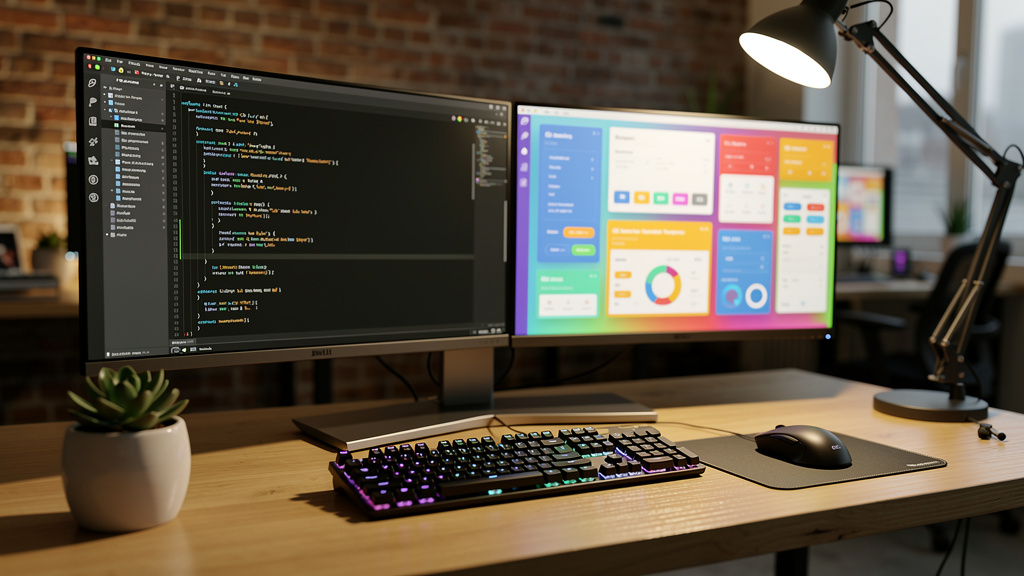
Many teams delay custom CMS development because the process feels vague. We remove that uncertainty by following a clear, repeatable method at NevoraDev. Each phase has its own goals, outputs, and checkpoints, so everyone knows what comes next and why it matters.
Discovery And Strategic Planning
Discovery and strategic planning come first. During this phase we:
- dive into your current content operations
- interview editors and stakeholders
- map real pain points and manual steps
We agree on success metrics such as faster publishing times, better SEO performance, or lower maintenance costs. We also review technical constraints, pick a suitable stack, and shape a project roadmap with clear milestones and releases.
UX And UI Design With Prototyping
Next we move into UX and UI design with detailed prototyping. We sketch information architecture, map content types, and lay out workflows for each user role. Low-fidelity wireframes come first for both the public site and the admin interface. Then we turn them into clickable prototypes so real users can try flows and share feedback before any heavy coding starts. Visual design rounds out this phase so the system looks and feels like your brand.
Agile Development And Implementation
The development and implementation phase follows an agile model. Front-end and back-end teams work in sprints, with regular demos so you can see progress in real time. We build APIs for integrations, implement the content models and workflows, and wire in performance and security features from the start. Continuous integration pipelines keep code quality high with automated tests and peer reviews.
Testing And Quality Assurance
Rigorous testing and quality assurance cover far more than “does it load.” Our testers check edge cases across the editor experience, content rendering, permission rules, and integration points. We run load tests that simulate peak traffic and see how the system behaves well beyond normal usage. Security checks look for common risks, misconfigurations, and access issues across roles and environments.
Data Migration And Validation
Data migration is a major part of most custom CMS development projects. We start with a content audit to learn what exists, which items stay, and how they map into the new model. A pilot migration of a small slice of content lets us catch problems early. After we refine scripts and rules, we perform the full migration, then validate redirects, internal links, and SEO signals.
Training, Documentation, And Launch
Training, documentation, and launch planning come last but are just as important. We write clear guides for each role and run live training for editors, admins, and other groups. Some clients prefer a phased rollout where one team switches first, while others move everything at once. In both cases we monitor logs, performance, and user feedback closely after launch, ready to fix any issues quickly.
Because NevoraDev manages every phase with one team, context never gets lost. The people who learned your needs in discovery are still present during design, development, and go-live. This cuts delays, avoids conflicting choices, and keeps the project aligned with the original goals from start to finish.
Strategic Integrations That Extend Your CMS Value

A custom CMS becomes far more powerful when it connects to the rest of your tools. In our custom CMS development work, we treat integrations as multipliers for value, not nice extras. When data flows smoothly between systems, teams avoid double entry, reduce errors, and gain a clearer picture of customers and operations.
CRM Integration
CRM integration is often the first priority. By linking the CMS with platforms such as Salesforce, HubSpot, or Microsoft Dynamics, content can react to real customer data. Pages and emails can adjust based on lifecycle stage or lead score, while content engagement can feed back into the CRM record. Sales and marketing then share one view of how content shapes each client interaction.
ERP And Product Data Integration
ERP integration keeps content aligned with what the business actually sells and supports. When the CMS reads product, pricing, and availability data from SAP, Oracle, or Microsoft Dynamics, product pages stay accurate without manual updates. Internal content such as policies, HR documents, or finance guides can also pull from the same source, which creates a single point of truth.
E-Commerce Integration
Connecting the CMS with e-commerce platforms such as Shopify, Magento, or WooCommerce helps both marketing and product teams. Editors can update product descriptions, landing pages, and promotions without opening the store admin. Inventory and pricing changes from the store can appear across the site at once. This gives shoppers a steady, reliable experience.
Marketing Automation Integration
Marketing automation integration with tools such as Marketo, Pardot, or ActiveCampaign links content, campaigns, and lead scoring. Editors can push new assets into email drips, social posts, and nurture tracks without juggling files. At the same time, performance data from those systems helps refine both the CMS taxonomy and the content calendar.
Analytics And Business Intelligence
Analytics and business intelligence tools close the loop. By feeding data into Google Analytics, Adobe Analytics, or a custom BI stack, leaders can measure the real ROI of each content area. They can see which topics bring in qualified leads, which pages help retention, and where users get stuck. At NevoraDev we have deep experience building these integrations in a secure, predictable way so your CMS becomes a steady core in your wider tech environment.
Custom CMS Development Costs And ROI Analysis
Any honest talk about custom CMS development must cover cost, and understanding CMS development cost factors helps teams make informed investment decisions from the outset. A custom platform is a real investment, not a weekend side project. The good news is that when done for the right reasons, the return can be far higher than the long-term cost of stretching a generic system past its limits.
Broadly, we see three project tiers:
- Basic Custom CMS (≈ $20,000–$50,000)
These projects cover structured content types, straightforward workflows, and standard analytics. They fit smaller teams that need a clean, focused tool without heavy integration. Timeframes are shorter, and many clients use this level as a starting point or MVP. - Advanced Custom CMS (≈ $70,000–$100,000)
These platforms handle more complex approval chains, several user roles, and links to CRM, marketing tools, or payment gateways. Personalization, content reuse across channels, and stronger reporting also come in at this stage. Many mid-sized companies fall into this bracket. - Enterprise Custom CMS ($150,000 And Up)
Large enterprise CMS projects can move into one hundred fifty thousand dollars and beyond. These builds support extensive multisite and multilanguage needs, deep integration with ERP and data warehouses, and strict compliance features. They may also include mobile companion apps, advanced search, or AI-driven content suggestions.
Several factors shape cost beyond feature count:
- team mix and seniority
- integration depth
- data migration scale
- hosting choices and uptime requirements
- deadlines and launch strategy
A tight launch date with many unknowns often raises cost because it leaves less space for gradual release and learning. Clear discovery and a smart scope reduce this risk.
On the return side, gains show up in many places. Faster content operations can cut time-to-publish by half or more, which matters in fast markets. Easier tools reduce training time and editing errors. Replacing plugin-heavy setups with one platform cuts license fees, agency retainers, and emergency repair work. Better security and compliance lower the chance of costly incidents or fines.
Most mid-sized and larger clients see payback on custom CMS development within three to fourteen months. After that, savings and extra revenue add up every year as content and traffic grow. At NevoraDev, we often start with an MVP, then add features based on real usage. That way, every dollar supports proven needs instead of guesses.
How NevoraDev Builds Custom CMS Platforms That Scale
NevoraDev exists to make custom CMS development practical, safe, and rewarding for growing businesses, following proven approaches for CMS Development that prioritize scalability and long-term maintainability. We do that by combining strong engineering with a partnership model that spans the full life of the product. Clients do not juggle separate agencies for design, DevOps, maintenance, and SEO. One cross-functional team handles everything.
Architecture And Scalability
Scalability is part of our design from the first workshop. We plan how the platform will handle growing traffic, data, and teams, not just the launch state. That may mean horizontal scaling behind load balancers, breaking workloads into microservices, tuning database indexes, and setting up caching layers and CDNs. We also add monitoring that shows when and where to grow capacity.
Security And Compliance Practices
Security is a constant thread, not a last step before launch. Our cloud setups follow strong standards such as ISO 27001, and we align with rules like HIPAA, PCI-DSS, GDPR, or SOC 2 when needed. During custom CMS development we add practices such as role-based access, encryption, and strict logging. CI/CD pipelines include security scans, while backup plans follow the 3-2-1 rule with regular restore tests.
Modern, Maintainable Tech Stack
We choose modern, maintainable stacks that match each project rather than forcing one framework on every client. On the back end we often use Node.js, Python with Django or Flask, Java Spring Boot, .NET Core, or Ruby on Rails. On the front end we work with React, Vue, or Angular for rich admin and user interfaces. Data layers may rely on PostgreSQL or MySQL for structured data and MongoDB or Redis for flexible workloads. Deployment usually runs in containers with Docker and Kubernetes for control and portability.
API-First Integrations
Integration is one of our strongest areas. Our teams have joined custom platforms with major CRM, ERP, marketing, e-commerce, and payment providers, as well as internal legacy systems. We favor an API-first style so the CMS can both consume and share data cleanly. This approach makes later connections far easier, which protects your investment as new tools appear.
MVP And Continuous Improvement
We also push for an MVP and iterative model where it fits. Instead of trying to ship every wish-list feature on day one, we help clients launch the smallest version that delivers clear value. Real-world feedback then shapes what comes next. This keeps scope under control and directs budget toward the features that matter most.
Over time, our clients describe the systems we build as faster, safer, and easier to run than what they had before. They also value that the same NevoraDev team stays close to their custom CMS development project year after year. That steady partnership lets us keep tuning, extending, and improving the platform as their business grows.
Conclusion
Off-the-shelf CMS platforms work well for simple sites, but they ask growing businesses to live with many compromises. Workflows stay clunky, integrations remain shallow, and security depends on a long list of third-party plugins. Custom CMS development turns that picture around. It gives you a platform that follows your exact processes, brand standards, and content goals.
Yes, a custom build costs more upfront than a quick template site. Yet for many organizations, the numbers favor custom CMS development over the long run. Faster content operations, lower maintenance overhead, stronger security, and cleaner data flows all add real financial value. Many companies see annual returns in the range of several times their initial spend.
We also know that this decision is not simple. Leaders must weigh budget, timing, in-house skills, and long-term plans before they commit to custom CMS development. That is why NevoraDev works as a full-lifecycle partner instead of a short-term vendor. We design for scale and security from day one and keep the same team with you from first workshop through years of support.
If content plays a serious role in your growth, now is a good time to see whether a custom CMS is the right step. We invite you to speak with our team about your current platform, your constraints, and your plans. Together we can explore whether custom CMS development with NevoraDev fits your goals and map a clear, realistic path forward.
FAQs
Before teams move ahead with custom CMS development, they often share a similar set of questions. We hear these in nearly every first call, so we answer them clearly here to help with early planning and internal discussions.
Question: How Long Does It Take To Develop A Custom CMS?
For most projects, custom CMS development takes between three and nine months. A smaller CMS with core content types and simple workflows can often go live in three to four months. When you add several integrations and complex approval paths, timelines usually stretch to five to seven months. Enterprise builds with many brands, regions, and compliance needs may run eight to twelve months. Our full-lifecycle model at NevoraDev cuts delays because one team owns every step. An MVP can sometimes deliver value in as little as two to three months.
Question: What’s The Difference Between Custom CMS And Headless CMS?
Custom CMS development describes how the platform is built and owned, while headless CMS describes how content and presentation relate to each other. In a headless setup, the CMS stores and manages content but sends it out through APIs to many front-ends such as web, mobile, or in-store displays. A custom CMS can use a headless style, a coupled style, or a mix, depending on your needs. At NevoraDev we often recommend an API-first, headless approach when clients plan to serve content across several channels or expect their front-end stack to change over time.
Question: Can A Custom CMS Integrate With My Existing Business Systems?
Yes, deep integration is one of the strongest reasons to choose custom CMS development. Because we control both the data model and the API layer, we can connect your CMS with CRM tools such as Salesforce or HubSpot, ERP systems such as SAP or Oracle, and commerce tools like Shopify or Magento, similar to how expert CMS developers build custom integrations tailored to specific business requirements. We also link payment providers, analytics platforms, and internal legacy tools. This work does not rely on generic plugins. Instead, we design each link to match your exact workflows, with strong error handling, logging, and monitoring to keep data reliable.
Question: How Do You Ensure Custom CMS Security And Compliance?
At NevoraDev, security runs through every part of custom CMS development. We host in cloud setups that follow strict standards and adjust controls to match rules such as HIPAA, PCI-DSS, GDPR, or SOC 2. Our code uses encryption for data in transit and at rest, and we apply role-based access control with least-privilege principles. Audit logs record key actions, and automated tools scan each build in the CI/CD pipeline. We also run periodic penetration tests and vulnerability reviews. Backups follow the 3-2-1 rule with immutable copies and tested restore steps so you can recover quickly if problems occur.
Question: What Happens After The Custom CMS Launches?
Launch is the start of a new phase, not the end of our work. After go-live, NevoraDev provides ongoing maintenance for your custom CMS development project, including security patches, framework updates, and performance tuning. We monitor logs, uptime, and key metrics so we can fix issues early. Our team also handles bug fixes and new feature requests, based on feedback from real users. Because the same people who built the CMS keep working with it, they resolve issues faster and with fewer surprises. Support plans vary by client, but all aim at constant, steady improvement over time.
